The AI employee that works inside your CRM
Ask Klibot in plain English. It finds contacts, adds and tags leads, checks calendars and pipelines, and answers your team in chat, Slack and WhatsApp.

Hi, I'm Klibot.
I live in your CRM and do the busywork, so you don't have to click through ten screens.
How many hot leads came in this week?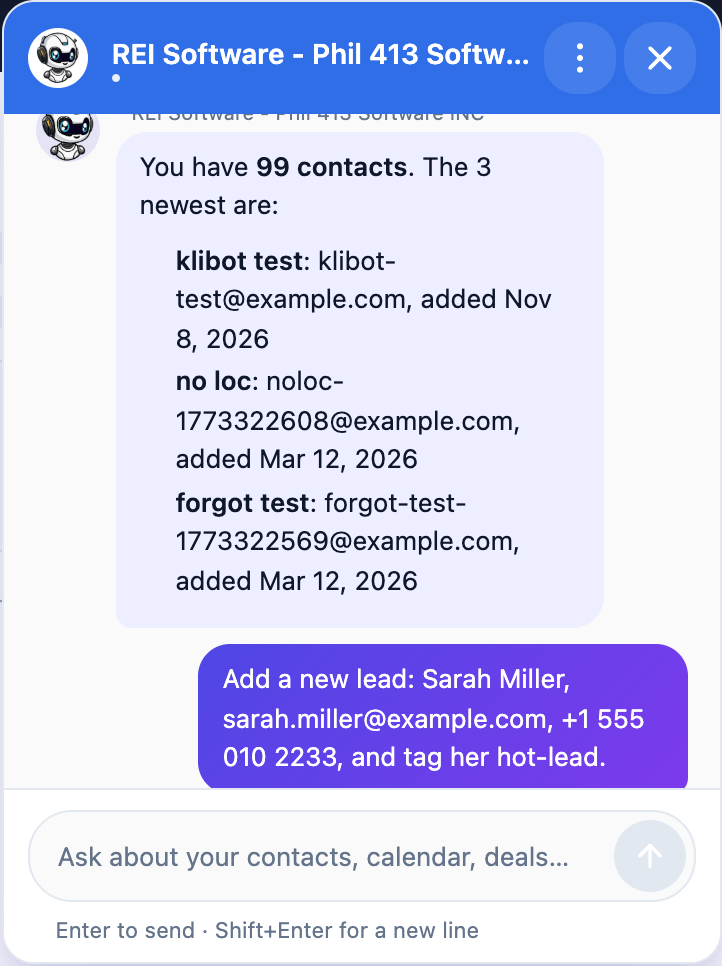
Business or agency?
Use Klibot for your own team, or give it to every client under your own brand.
For businesses
An assistant that knows your contacts, deals and calendars, and does the work when you ask.
- Look up any contact, deal or conversation in seconds
- Add, update and tag leads from one sentence
- Check calendars and book appointments
- Works on the CRM pages you already use
For agencies
Roll Klibot out to every sub-account, under your name, with usage you control.
- White-labeled: clients see your agency's name
- One dashboard for all sub-accounts
- Credits and usage tracked per client
- Each client's data stays in its own account
Real answers from a real CRM
These screenshots come straight from Klibot running on a live HighLevel account.
Ask about your pipeline, get the answer
No reports to build. Klibot searches your contacts, deals and conversations and replies with what you need.
 Klibot
Pipelines (2): Seller Pipeline (16 stages), MLS Offer Cannon (6 stages)
Add and tag leads in one sentence
Type the lead the way you'd tell a coworker. Klibot creates or updates the contact, tags it and tells you what it did.
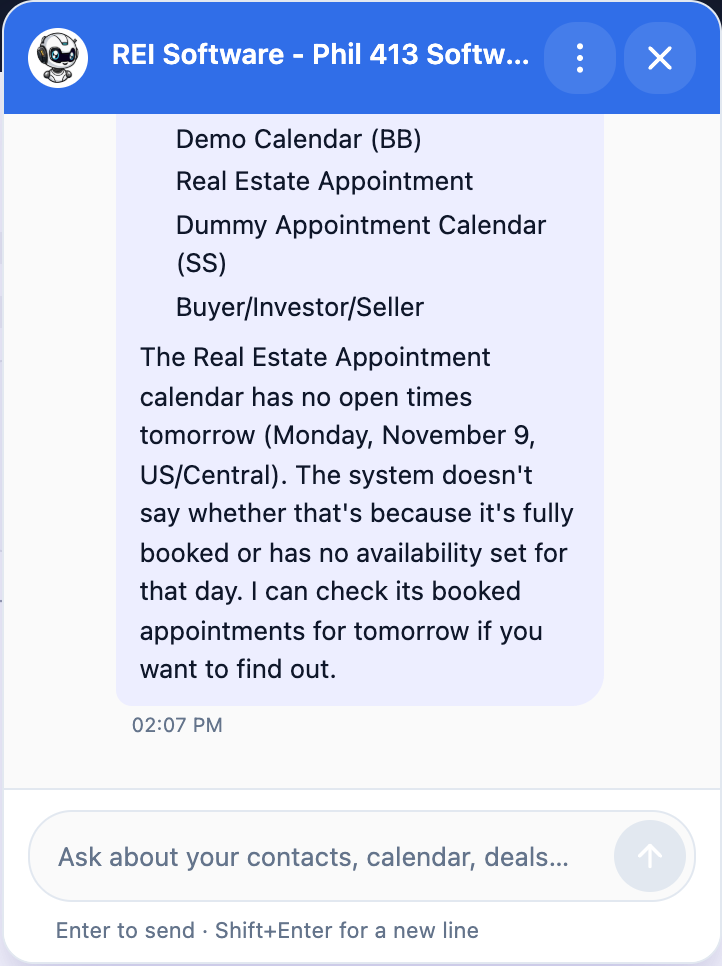
KlibotCalendars and bookings, handled
See your calendars, find open times and book appointments for contacts, without leaving the page you're on.
Connect. Add channels. Let it work.
Connect your CRM
Paste a HighLevel Private Integration key. Klibot checks what it can access and only works in those areas.
Add your channels
Turn on the chat bubble in your CRM and website, connect Slack, and link WhatsApp.
Ask, and it acts
Klibot answers in about two seconds and takes the action for you. Every reply is logged with its cost.
Talk to it where you already work
CRM & website chat Live
A chat bubble on every CRM page. Drag it anywhere and lock it in place.
Slack Live
DM Klibot or @mention it in a channel. It replies in a thread with the same CRM tools.
WhatsApp Beta
Link a WhatsApp number and let Klibot answer and update your CRM from your phone.
Simple plans. Pay for what you use.
Every beta account starts with $3 of free AI credit.
Beta
Try Klibot on your own CRM.
- $3 of AI credit included
- Chat widget in your CRM
- All 22 CRM actions
Bring your own AI
Use your own Claude, ChatGPT or OpenRouter key. You pay your AI provider directly.
- Claude, ChatGPT or OpenRouter
- Unlimited replies on your key
- Chat, Slack and WhatsApp
All-in
We run the AI for you. Includes $3 of AI usage every month.
- No API keys to manage
- $3 of AI usage included monthly
- Top up anytime when you need more
Need more AI usage? Top up $5, $10, $15 or any amount you like.
Questions people ask
Which CRM does Klibot work with?
Klibot is built for HighLevel (including white-labeled versions). You connect it with a Private Integration key from your sub-account.
What can it actually do in my CRM?
Search and count contacts, create and update contacts, add tags, notes and tasks, read conversations, send SMS or email, list calendars, find open times, book appointments, search and update deals, and enroll contacts in workflows.
Can it do something my API key doesn't allow?
No. Klibot checks what your key can access. If you ask for something outside that, it tells you which permission is missing and where to add it.
How is usage billed?
Each AI reply uses a small amount of credit based on its real cost. Your dashboard shows every reply and what it cost. Top up $5, $10, $15 or a custom amount when you need more.
Can I use my own Claude or ChatGPT key?
Yes. On the $5.99 plan you bring your own Claude, ChatGPT or OpenRouter key, and your AI usage is billed by your provider.
Is my clients' data kept separate?
Yes. Each sub-account has its own key, its own conversations and its own usage. Klibot never answers with another account's data.
Give your CRM an AI employee
Set it up in minutes. Start with $3 of free AI credit during the beta.